Packages (including model lines), specifications, features, extras, options and equipment levels are subject to change and subject to availability. Some vehicles or equipment pictured and/or featured may not be available locally. Product changes may have been made since production of this content. Please confirm final details of features prior to purchase.
;Resize=(828,828) "A man opens the Mercedes-Benz App on his smartphone.")
Get even more out of your Mercedes-Benz.
Mercedes-Benz is your key to the digital world of Mercedes-Benz and to many valuable functions.
Mercedes-Benz
Discover a digital world full of possibilities.
Do you want to get more out of every journey with your Mercedes-Benz and make life easier for yourself? With your Mercedes me ID, our Digital Extras and the Mercedes-Benz Apps, you are always connected to your vehicle. You experience even greater comfort, service and safety, even when you're not sitting in your Mercedes-Benz.
Mercedes me ID
Your key to the digital world of Mercedes.
Log in with your Mercedes me ID to get more out of your Mercedes-Benz. With your Mercedes me ID and your agreement to the Mercedes me Connect Terms of Use, you can use our Digital Extras and set up your vehicle according to your wishes and needs.
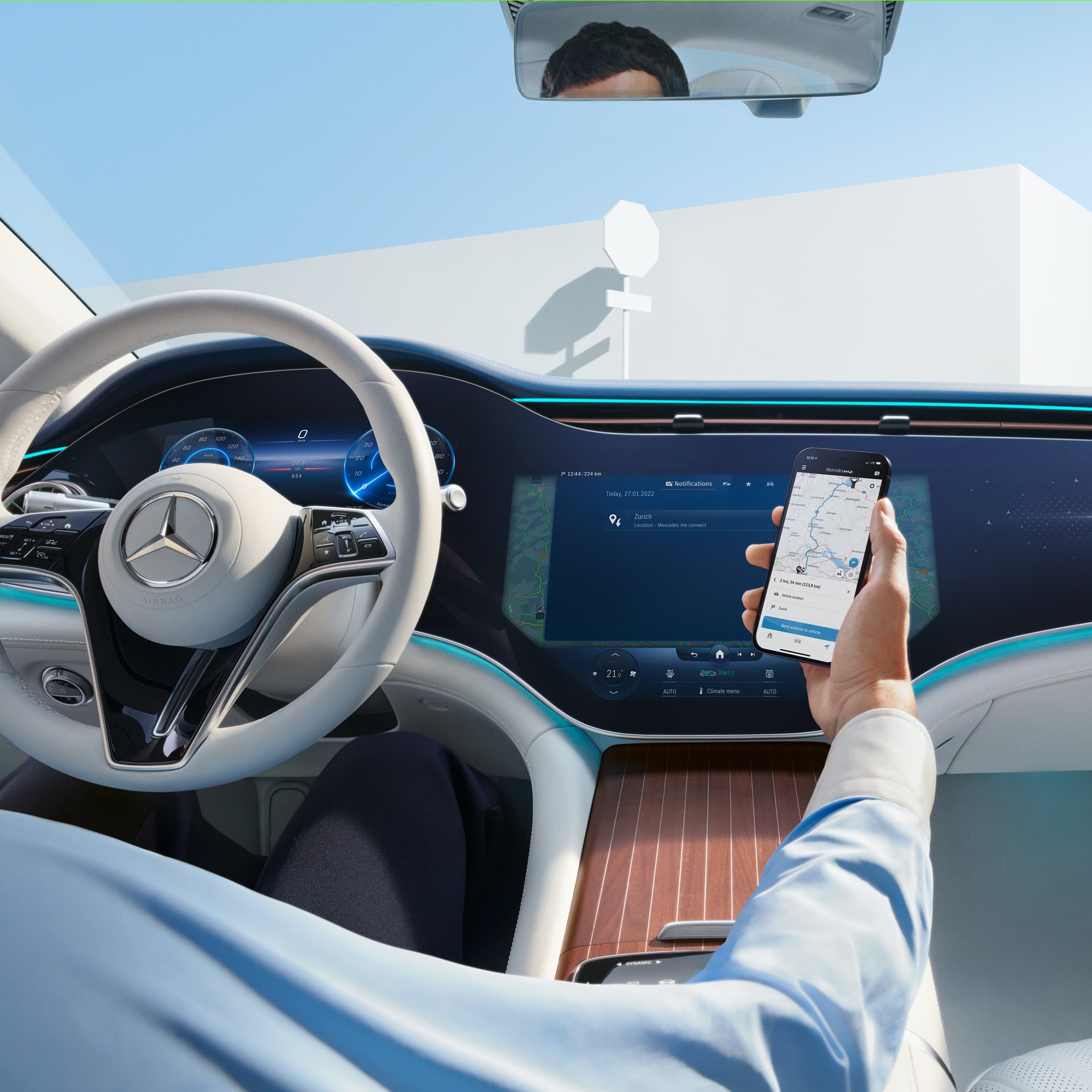;Resize=(600,450) "A man transfers the selected route from his smartphone to the MBUX Hyperscreen in his Mercedes me via the Navigation Digital Extras.")
Digital Extras
That certain extra for your Mercedes-Benz.
Rediscover your Mercedes-Benz and enjoy even more comfort, service and safety with our Digital Extras. Use your smartphone to operate your vehicle remotely. Customise many functions of your Mercedes-Benz, always keep an eye on your vehicle, charge it more conveniently, and much more.
Mercedes-Benz Apps
Connected directly to your Mercedes-Benz.
Discover the versatile apps for your Mercedes-Benz, all of which have one thing in common: each one establishes a direct connection between you and your vehicle. So you always have a clear view of everything - even when you're not sitting in your Mercedes-Benz.
MBUX Voice Assistant
"Hey Mercedes"
Talk to your Mercedes-Benz and get to know your vehicle as you've never experienced it before. With the MBUX Voice Assistant, it listens to what you say without learning commands beforehand. This Digital Extra is already installed in your Mercedes-Benz before you start the engine for the first time. All you need to do is activate the MBUX Voice Assistant in your vehicle or via your service management. Your vehicle reads text messages aloud, checks the weather at your destination, finds the fastest route or the perfect radio station - all it takes is "Hey Mercedes".
;Resize=(600,450) "A man uses the MBUX Voice Assistant in his vehicle.")
MBUX multimedia system
Partner offers.
Linked to the best partners. Mercedes-Benz stands for premium standards. This also applies to our partners. To establish new connections with your Mercedes-Benz and beyond, we have integrated further selected offers.
Smart Home Integration
Control your smart home by voice command from your Mercedes-Benz.
Stay conveniently connected to your smart home while travelling - via the MBUX Voice Assistant in your Mercedes. Operate products from smart home providers easily and quickly via voice control. This way, you can check with one enquiry whether you have also closed all windows - while keeping your hands safely on the steering wheel and your eyes on the traffic on the road. And on the way home, make your home perfectly ready for your arrival with a short announcement. Register now to be able to activate the MBUX Voice Assistant service. You can then link your account with your smart home provider to your Mercedes-Benz account.
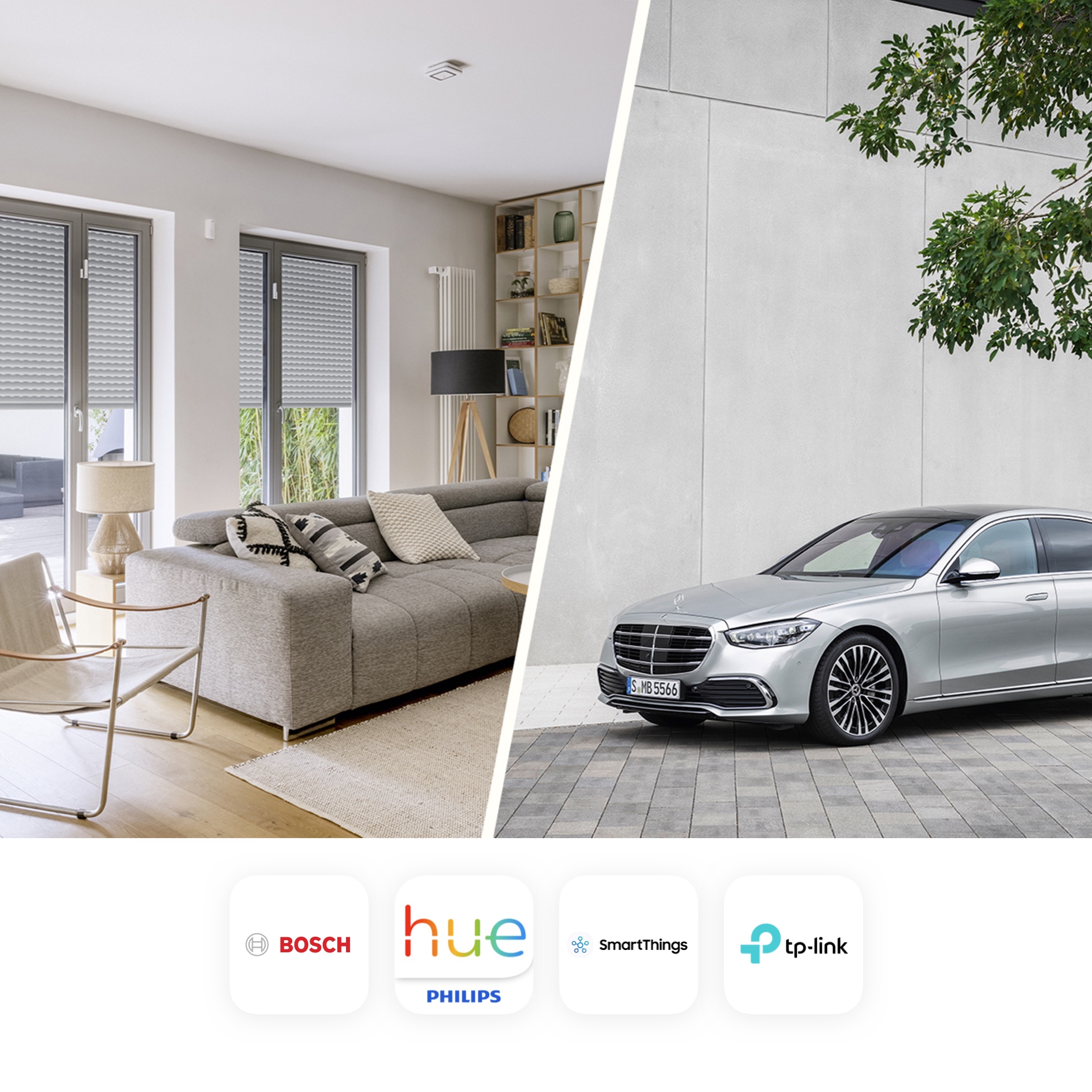;Resize=(600,450) "The picture shows a collage of a furnished home and a Mercedes vehicle. Also shown are the various smart home providers that cooperate with Mercedes-Benz.")
Mercedes-Benz Adapter
Retrofit now and experience greater comfort
Get more out of your Mercedes-Benz. With the Mercedes-Benz Adapter and your smartphone, you can use practical functions and numerous data relating to your vehicle - making everyday life easier and more relaxed. The Mercedes-Benz Adapter is available for many Mercedes-Benz models built since 2002.
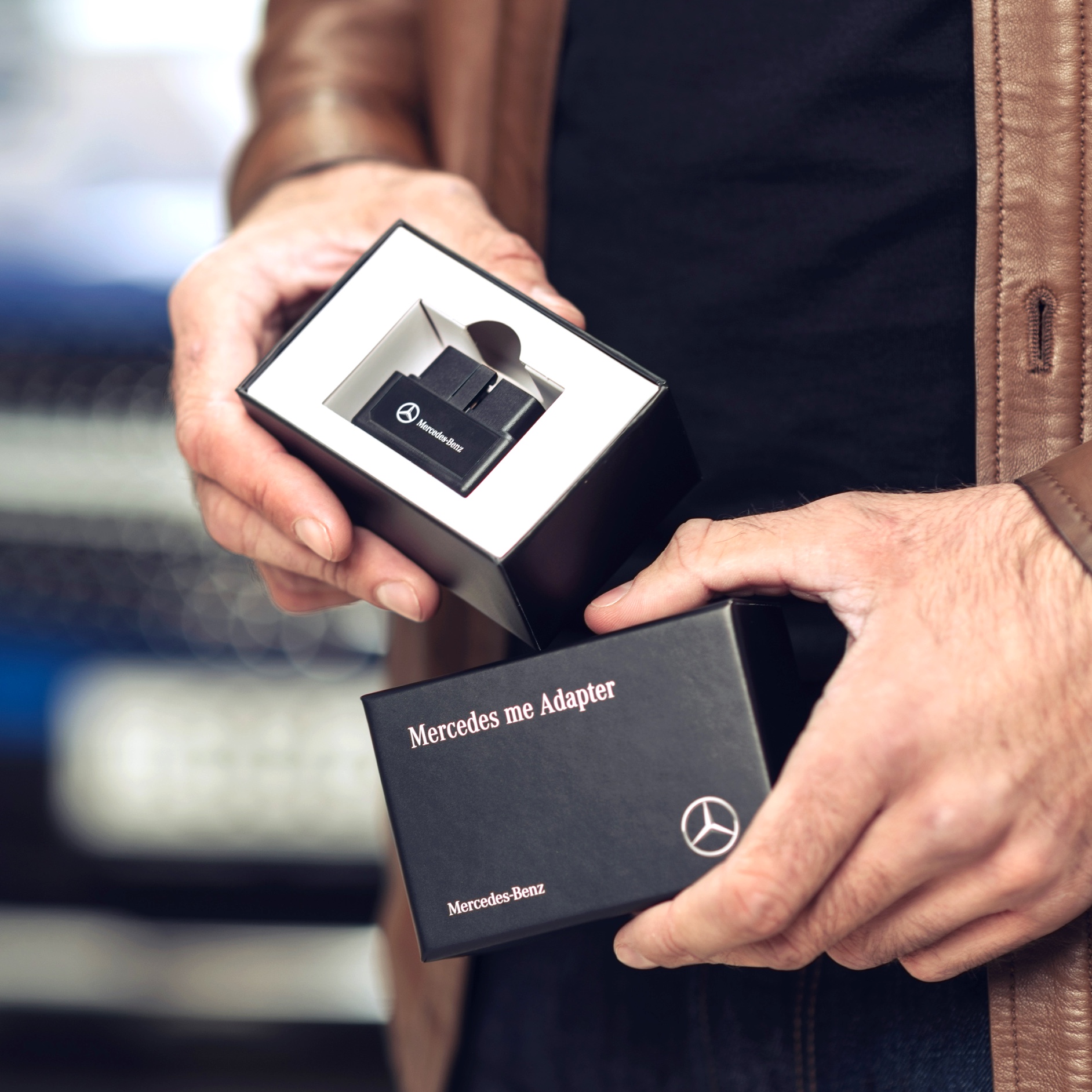;Resize=(600,450) "A man unpacks the Mercedes-Benz Adapter for his Mercedes-Benz to be able to use Digital Extras in his vehicle.")
Answers to questions about the Mercedes-Benz Adapter.
What is your question about?
The Mercedes-Benz Adapter consists of hardware and software. The hardware, i.e. the Mercedes-Benz Adapter, is inserted into the diagnostic socket ("OBD2 socket") of the vehicle and subsequently connects to the smartphone via Bluetooth®. In this way, it is possible to read out information from the vehicle. A range of safety, service and mobility functions can be used via the Mercedes-Benz Adapter app, based on the read-out data.
The app is available free of charge from the Apple App Store and Google Play Store.
Use of the MMercedes-Benz Adapter is free of charge. The usual terms for calls to mobile or landline numbers apply when calling from the app. Depending on the mobile phone contract, there may be costs for the download and data transfer.
The Mercedes-Benz Adapter can be used in many Mercedes–Benz models, in some cases going as far back as 2002. The following table indicates the compatible models and model series. Further models/model series will gradually be approved for use with the Adapter.
| Model and Model series | Build year |
| A-Class 169, 176, 177 |
2004 – 12/2018 |
| B-Class 245, 246 |
as of 2005 |
| C-Class 204, 205 |
2007 – 12/2018 |
| C-Class Cabriolet 205 |
2016 - 12/2018 |
| C-Class Coupé 204, 205 |
2011 – 12/2018 |
| CL 216 |
2006 – 2014 |
| CLA 117 |
as of 2012 |
| CLS 218, 219 |
2004 – 2017 |
| E-Class 211, 212, 213 |
2002 – 12/2018 |
| E-Class Cabriolet 207, 238 |
2010 – 12/2018 |
| E-Class Coupé 207, 238 |
2009 – 12/2018 |
| G-Class 463 |
07/2012 - 06/2018 |
| GL/GLS 164, 166 |
2006 – 2018 |
| GLA 156 |
as of 2013 |
| GLC 253 |
as of 2015 |
| GLC Coupé 253 |
as of 2016 |
| GLE 166 |
2015 – 2018 |
| GLE Coupé 292 |
as of 2015 |
| M-Class 164, 166 |
2005 – 2015 |
| R-Class 251 |
2005 – 2017 |
| S-Class 221, 222 |
2005 – 12/2018 |
| S-Class Cabriolet 217 |
2015 – 12/2018 |
| S-Class Coupé 217 |
2014 – 12/2018 |
| SL 231 |
as of 2012 |
| SLK/SLC 171, 172 |
as of 2003 |
| SLS AMG 197 |
2009 – 2014 |
The list of model series may differ from country to country.
The Mercedes-Benz Adapter is available in the following countries:
Abu Dhabi, Austria, Australia, Belgium, Czech Republic, Denmark, Dubai, Finland, France, Germany, Greece, Hungary, Ireland, Italy, Japan, Korea, Luxembourg, Netherlands, New Zealand, Norway, Poland, Portugal, Romania, Russia, Slovakia, South Africa, Spain, Sweden, Switzerland, Turkey, United Kingdom.
The requirements for using the MMercedes-Benz Adapter are as follows:
• A compatible smartphone (see "Adapter App" section) with iOS 10 / Android 5 or later operating system
• A Mercedes-Benz vehicle from one of the compatible model series and production periods
• The Mercedes-Benz Adapter App (available free of charge from the Apple App Store or Google Play)
• A Mercedes-Benz user account (register at www.Mercedes-Benz) for which the Terms of Use have been accepted
• Mercedes-Benz Adapter (exclusively available from your Authorised Mercedes-Benz Retailer)
The following data are transferred to the Mercedes-Benz Group AG systems: vehicle identification number, mileage, fuel level, remaining time or distance to service, workshop and service code, control unit version number if applicable. Data transfer is necessary so that you can receive details of the current vehicle status and suitable maintenance offers. Mercedes-Benz Group AG does not use the transferred data to produce movement profiles. Location details (if available) are only transferred if you call Customer Support in the event of an accident or a breakdown. Personal data such as trips and refuelling lists or the Driver Score are only saved locally on your smartphone and are not forwarded to the Mercedes-Benz Group AG systems.
The data read out from your vehicle via the Mercedes-Benz Adapter and information saved by you is not synchronised with the Mercedes-Benz Portal. This data is only saved locally on your smartphone. You can view the data in the Mercedes-Benz Adapter App.
A Mercedes-Benz Adapter can be used in several compatible vehicles. To do this, the vehicle must be linked to your Mercedes-Benz account by your Authorised Mercedes-Benz Retailer. It must be reactivated after being unplugged and plugged into a different vehicle.
Yes, you can use your Mercedes-Benz user account for the Mercedes-Benz Adapter and add your adapter-compatible vehicle.
We take data protection into account when designing the networked services. Right from the start, we pay the highest level of attention to data protection during development of the systems and services.
The car of the future is increasingly becoming a digital companion, which means that we must ensure data security as well as road safety and operating safety.
Mercedes-Benz Group AG does not produce movement profiles with Mercedes-Benz services. We comply with all applicable laws on data protection, and even governmental authorities can only access the data within the bounds of the law.
Furthermore, Mercedes-Benz Group AG has a "Corporate Policy for Data Protection for Data of Customers & Partners" to regulate the processing of personal data, which is based on globally accepted basic principles and ensures a uniform and globally valid data protection and data security standard.
Mercedes-Benz services involve the acquisition of personal data as well as the generation of personal data. This happens on the basis of contractual arrangements or customer consent. The acquired data are saved in encrypted form. Furthermore, the customer can deactivate their Mercedes-Benz Adapter services at any time.
We use technical and organisational security measures in order to protect user's data against manipulation, loss, destruction or against access by unauthorised parties. The security procedures are continually developed as new technology becomes available.
The Mercedes-Benz Adapter enables many model series manufactured in 2002 or later to become an integral part of the Mercedes-Benz digital world, even if the vehicle is not yet connected.
The Mercedes-Benz Adapter is an accessory that has been tested and approved by Mercedes-Benz Group AG (e.g. in crash tests and tests for electromagnetic compatibility). There is therefore no risk of vehicle damage and loss of warranty as a result of using the Adapter.
No liability can be accepted regarding the safety and reliability of other makes.
You can obtain the Mercedes-Benz Adapter exclusively from your Mercedes-Benz service partner – the associated app is available free of charge from the Apple App Store and Google Play. Furthermore, the Adapter's functions and services are being extended all the time and adapted to the needs and wishes associated with a sophisticated, networked driving experience for your Mercedes.
The app is available free of charge from the Apple App Store and Google Play.
The app is available for the following smartphones:
• Apple: iOS 10 or later operating system
• Android: version 5.0 or later operating system
Root-access and jail-broken smartphones are not supported for security reasons.
The Mercedes-Benz Adapter and the app give you the benefit of the following services among others:
• Information about the current vehicle status: fuel level, mileage, parking location and duration
• Car park locator with information about prices and opening hours.
• "Cockpit" Mode with live vehicle data, e.g. engine load, oil temperature and remaining distance
• "Car Health Monitor" for fast assistance when the vehicle issues warning messages
• Journey list and refuelling list with export function
• Locate and contact Mercedes-Benz service partner, and arrange appointments
• Reminders for important dates such as the main inspection
After installing the Mercedes-Benz Adapter app, you can already use a few limited functions. To use all of the app's functions, you must obtain and activate an Adapter. Please contact your Mercedes-Benz Retailer about this.
Each time a journey ends, a data package is sent to the Mercedes-Benz Group AG systems. These data packages are not very large. They amount to no more than a few MB per month.The filling station/car park locator functions use mobile data in order to show you the latest data.
Firstly, ensure that the Bluetooth® pairing with the Mercedes-Benz Adapter was successful and that your smartphone is connected with the Adapter MB-xxxx. Your smartphone's Bluetooth® function must be activated for this. The Mercedes-Benz Adapter must be within range. Furthermore, an Internet connection is required for the activation process. Should you nevertheless encounter problems when attempting to start the app, please contact Customer Support.
If the Mercedes-Benz Adapter has been unplugged, e.g. after a service, it needs to be reactivated. If you have uninstalled the app or are now using it on a different smartphone, reactivation will likewise be necessary.
If one or more trips cannot be combined, this may be because there are gaps between these trips. Two trips can only be combined if the total mileage at the end of a recorded journey corresponds to the total mileage at the start of the subsequent journey. Furthermore, it is not possible to combine private trips with business trips.
No, combined trips can no longer be broken back down into individual trips.
The CSV file exportable using the "My Trips" function may contain gaps and be edited subsequently; it is therefore not a legally valid logbook. However, the table can be used as the basis for a logbook.
Firstly, check the app settings. Here you can define whether and for which functions the app is allowed to determine your location. Location capture should be activated for the "Parking & Locating", "Refuelling" and "My Trips" functions. Furthermore, the location identification function on the smartphone can be deactivated altogether or just for this app.
Another possible reason for the missing indications: at the start or end of the journey, you stopped at a location where location identification was not possible, e.g. in an underground garage.
If the vehicle is moved without the Mercedes-Benz Adapter plugged in, or if there is no connection with the smartphone, e.g. if Bluetooth® has been deactivated, no trips are recorded. This can cause gaps in the list of recorded trips.
If your vehicle is running on the reserve fuel supply, it is no longer possible to determine the fuel level. In this case, it is therefore important to enter the refuelling amount manually.
If refuelling is added manually, the entered location is not shown on the map because not only addresses can be entered in the location field - you can also enter "journey to work" here, for example. Such locations cannot be shown on the map.
The Mercedes-Benz Adapter App is the only app to use with the Mercedes-Benz Adapter. Other Mercedes-Benz apps concern vehicles that are already produced with built-in communications module and are therefore not compatible with the Adapter. The functions of the apps may vary as both solutions are based on fundamentally different technologies.
The general difference between the Mercedes-Benz Adapter and the Mercedes-Benz connect vehicles is that the Adapter communicates with the smartphone via Bluetooth® and does not use its own SIM card. If the vehicle ignition is switched off, the Adapter is not active, meaning that Remote Services such as opening and closing of the doors or programming of the auxiliary heating are not possible.
When driving abroad, the Adapter can be used without restrictions if data roaming is activated, i.e. the usual costs for data roaming will apply. However, the Adapter can also be used without an Internet connection, although in this case there may be restrictions, e.g. it may not be possible to translate the GPS coordinates into address data.
On iPhones, this notification appears every time a Bluetooth® device wishes to communicate with the smartphone (hands-free systems are an exception). If the app is already active on the phone (in the foreground or background), the Adapter will establish a connection even if this notification has not been confirmed. Your trips and refuelling are recorded. However, if the app has been actively ended beforehand (e.g. by "swiping out") or the phone has been restarted, this query must be confirmed so that it is possible to call up the app and establish communication with the Adapter.
To become more familiar with our customers' preferences and further develop the app, we evaluate anonymised app usage data (using Adobe Marketing Cloud). If it is not wished to save and evaluate information about app usage, this function can be deactivated and reactivated under App Settings > Usage Data Acquisition.
The Mercedes-Benz Adapter is only compatible with the approved Mercedes-Benz model series.
The Mercedes-Benz Adapter App only works with the Mercedes-Benz Adapter.
You can only obtain an adapter from an authorised Mercedes-Benz retailer. Please contact your local participating Mercedes-Benz retailer for more information on how to get a Mercedes-Benz Adapter
The Mercedes-Benz Adapter is an accessory that has been tested and approved by Mercedes-Benz Group AG (e.g. in crash tests and tests for electromagnetic compatibility) for the compatible model series. Connecting the Mercedes-Benz Adapter to the diagnostic socket ('OBD2 socket') always guarantees the following:
• the functions of vehicle systems are not impaired,
• the starter battery cannot become discharged,
• no emission monitoring information is reset.
The box which your Mercedes-Benz Adapter comes in also contains a supplement to your Owner's Manual. Please add this supplement to your Owner's Manual.
To enable use of the Mercedes-Benz Adapter, the Mercedes-Benz Adapter App must be installed on your smartphone, and you must have activated the Adapter.
Yes, that is possible. However, make sure that the vehicle's ignition is switched off.
You can only obtain the Mercedes-Benz Adapter from a participating Authorised Mercedes-Benz Retailer.
Please reactivate the Mercedes-Benz Adapter by selecting "Add vehicle" in the app. The activation process is a shortened process, and you can start using your Adapter as usual again quickly.
The Mercedes-Benz Adapter is a retrofit part tested and approved by Mercedes-Benz Group AG for the compatible model series. A raft of technical and organizational measures have been implemented to protect against tampering and access by unauthorised parties. These include the fact that your vehicle is linked to your Mercedes-Benz user account by your preferred Mercedes-Benz service partner and the fact that your Mercedes-Benz Adapter is activated via a guided process in the app. The security procedures are continually enhanced as new technology becomes available. We have deliberately avoided a hardware solution with a separately integrated mobile-phone module as this would result in additional costs for you as well as the need for another contractual agreement. Furthermore, you have better control over data usage when using your smartphone and can change the settings as and when required.
As the main user of a vehicle with a Mercedes-Benz Adapter, you can invite other people to become co-users of this vehicle using the co-user management function. Proceed as follows to do this:
Go to the Mercedes-Benz Portal, click on 'Your Vehicles' and select the relevant vehicle. Then click on 'Manage Co-users' in the 'Mercedes-Benz connect' section. You can use the 'Invite Co-user' function to send an invitation by entering an email address. You and the invited person will be informed by email. The invited co-user can accept the invitation by following the link included in the email.
The co-user must then reactivate the Adapter on their smartphone by disconnecting and reconnecting it. The Adapter can then be activated in the Mercedes-Benz Adapter app using the 'Add New Vehicle' function.
Once the co-user has performed these steps, they can likewise use the Mercedes-Benz Adapter with your vehicle.
Only the main user is able to invite co-users.
After the main user has invited the co-user, the latter must accept the invitation via the link in their email. The co-user likewise requires a Mercedes-Benz user account and the Mercedes-Benz Adapter App, which can be downloaded from the App Store or Google Play. One Mercedes-Benz Adapter per vehicle is sufficient for several users.
The co-user must likewise activate the Adapter to use it. To do this, it is necessary to disconnect and reconnect the Mercedes-Benz Adapter to link the co-user's smartphone to the Adapter. The vehicle can then be added in the app under 'Add New Vehicle'.
The co-user can use the full range of the Mercedes-Benz Adapter App's functions. Their personal data (e.g. journey list) are stored solely on their smartphone and cannot be transferred. Only the main user receives the maintenance offers, and only the main user is able to invite other co-users and activate/deactivate the service.
At the end of the journey, the vehicle values shown on the "My Vehicle" page are saved in the backend and exchanged with the users.
The contents of "Parking & Locating", "Refuelling" and "My Trips" are not synchronised. The determined location data in particular only remain locally on the smartphone on which they were recorded.
Initial activation
You have a Mercedes-Benz Adapter, and your Mercedes-Benz Retailer has already linked your Mercedes-Benz account? Then you can get started! Proceed as follows during initial activation:
Reactivation
Do you want to reactivate your Mercedes-Benz Adapter (e.g. after a service)? All it takes is two simple steps:
The scope of delivery includes:
• Mercedes-Benz Adapter
• "Mercedes-Benz Adapter" Safety Instructions
• Supplementary sheet for your vehicle's Owner's Manual
• "Mercedes-Benz Adapter" quick guide
• Fastenings for the OBD socket flap
You also require an Android- or iOS-capable smartphone with Bluetooth interface and the corresponding "Mercedes-Benz Adapter" App from the relevant app store.
Connecting the Mercedes-Benz Adapter to the diagnostics socket always ensures that:
• the functions of vehicle systems are not impaired,
• the starter battery cannot become discharged,
• no emission monitoring information is reset.
The Mercedes-Benz Adapter may only be used in vehicles approved by Mercedes-Benz with the supported smartphones and operating systems. A list of the approved vehicles can be found in the "General" section, information about compatible smartphones in the "Adapter App" section.
WARNING:
Risk of distraction due to use of mobile communication devices whilst driving.
You may be distracted from the road and traffic if you use mobile communication devices whilst driving.
You can also lose control of the vehicle.
Only use these devices when the vehicle is stationary.
Furthermore, we should point out that mobile communication devices/smartphones are to be stowed safely in the vehicle.
The MMercedes-BenzAdapter has been developed for permanent use in the relevant diagnostics socket and should remain connected there.
Please observe your home country's laws regarding the use of smartphones in the vehicle whilst driving.
Conversion or modification of the Mercedes-Benz Adapter impairs functional safety and can have effects on your vehicle. Caution: risk of injury!
Never open the Mercedes-Benz Adapter unless authorised to do so. Never perform repairs yourself!
Handle the Mercedes-Benz Adapter with care. It can be damaged by shocks, impacts or dropping from even a low height.
Keep the Mercedes-Benz Adapter away from moisture and extreme heat.
Never immerse the Mercedes-Benz Adapter in water or other liquids. To clean it, use a cloth moistened with water. Never use aggressive cleaning agents (vinegar/lemon-based cleaners, scourers, lime scale or nail varnish remover, all-purpose cleaners, neutral cleaners, white spirit, natural cleaners containing oil or similar) or abrasive brushes or sponges or similar cleaning aids to clean the Adapter.
Keep your Mercedes-Benz Adapter and its accessories out of the reach of children. If any small parts are swallowed, seek medical assistance immediately. Risk of injury or even danger to life!
In the event of excessive heat generation by the smartphone, always check for proper functioning. If problems persist, please stop the app on your smartphone and contact your smartphone manufacturer.
Stow or attach the smartphone securely before each journey. Note that, in the event of sudden deceleration (braking), non-secured objects like smartphones can cause major risks, damage and injuries to both the vehicle occupants and other road users.
People with hearing aids or other devices with the BAHA® ("Bone Anchored Hearing Aid") label or "partially implanted" or "fully implanted" hearing aids may experience an increase in noise interference. Please contact your hearing aid manufacturer to discuss alternatives.
People with medical devices, e.g. pacemaker or defibrillator: when you use the Mercedes-Benz Adapter, there is a radio link between your smartphone and the Adapter. The electromagnetic radiation can impair the functioning of a medical device. Risk of fatal injury! Before operating the MMercedes-Benz Adapter, always ask your doctor or the medical device's manufacturer about any effects of the Mercedes-Benz Adapter's emissions.
The use of mobile phones is strictly prohibited at filling stations. There is a risk of explosion as the battery can spring out of the mobile phone if it is dropped, and the sparks caused by this could ignite petrol fumes. It is prohibited to remove or insert the Mercedes-Benz Adapter when the vehicle is in a refuelling area.
Refrain from any software re-engineering or logging/decompiling as well as any code tampering with regard to the Mercedes-Benz Adapter and the app. Risk of injury!
Jail-broken smartphones (non-authorised removal of usage restrictions on the mobile operating systems of the smartphone manufacturers) are not supported and are generally excluded from usage.
Technical modifications, errors, omissions and deviations excepted!
Important information regarding disposal of the Mercedes-Benz Adapter:
• Do not dispose of this electrical device in the household waste. Consult your local collection points or authorities for details of how to dispose of the device correctly.
• The Mercedes-Benz Adapter has WEEE Approval (Disposal) EC Directive 2012/19/EU.
• Uncontrolled disposal of electrical devices can lead to hazardous materials entering the groundwater and therefore the food chain, endangering your health and well-being.
• If you replace the device with a new one, the vendor is legally obliged to at least take back the old device for disposal free of charge.
Askey Communication GmbH as the manufacturer hereby declares that the "Mercedes-Benz Adapter" product complies with the fundamental requirements and other applicable regulations in the directives listed below:
• Directive 2014/53/EU Radio Equipment,
• Directive 2011/65/EU on the restriction of the use of certain hazardous substances in electrical and electronic equipment (RoHS),
• Directive 2012/19/EU on waste electrical and electronic equipment (WEEE) Regulation (EC) No. 1907/2006 chemical substances (REACH).
Operating frequency and maximum output: Bluetooth (2402 MHz ~ 2480 MHz) max. 10 dBm e.i.r.p.
The declaration of conformity can be viewed at www.Mercedes-Benz/adapter.
If you have any further questions about the declaration of conformity, please contact: Askey Communication GmbH, Fritz-Vomfelde-Strasse 8, 40547 Düsseldorf, Germany.
If you have any other queries or problems, please contact your Authorised Mercedes-Benz Retailer or Customer Support.
How it works
Use Digital Extras and Mercedes-Benz App now.
- Create a personal Mercedes me ID, agree to the Terms of Use and link your vehicle to your user account.
- Activate, renew or purchase Digital Extras in the Mercedes-Benz Store if they are offered for your vehicle. After activation, these are automatically made available in your Mercedes-Benz. The initial activation of the standard services is possible within 1 year from the first registration or initial start-up by the customer, whichever comes first.
- In the Mercedes-Benz App you will find everything you need to know about your Digital Extras. View your Mercedes-Benz Account online here too.
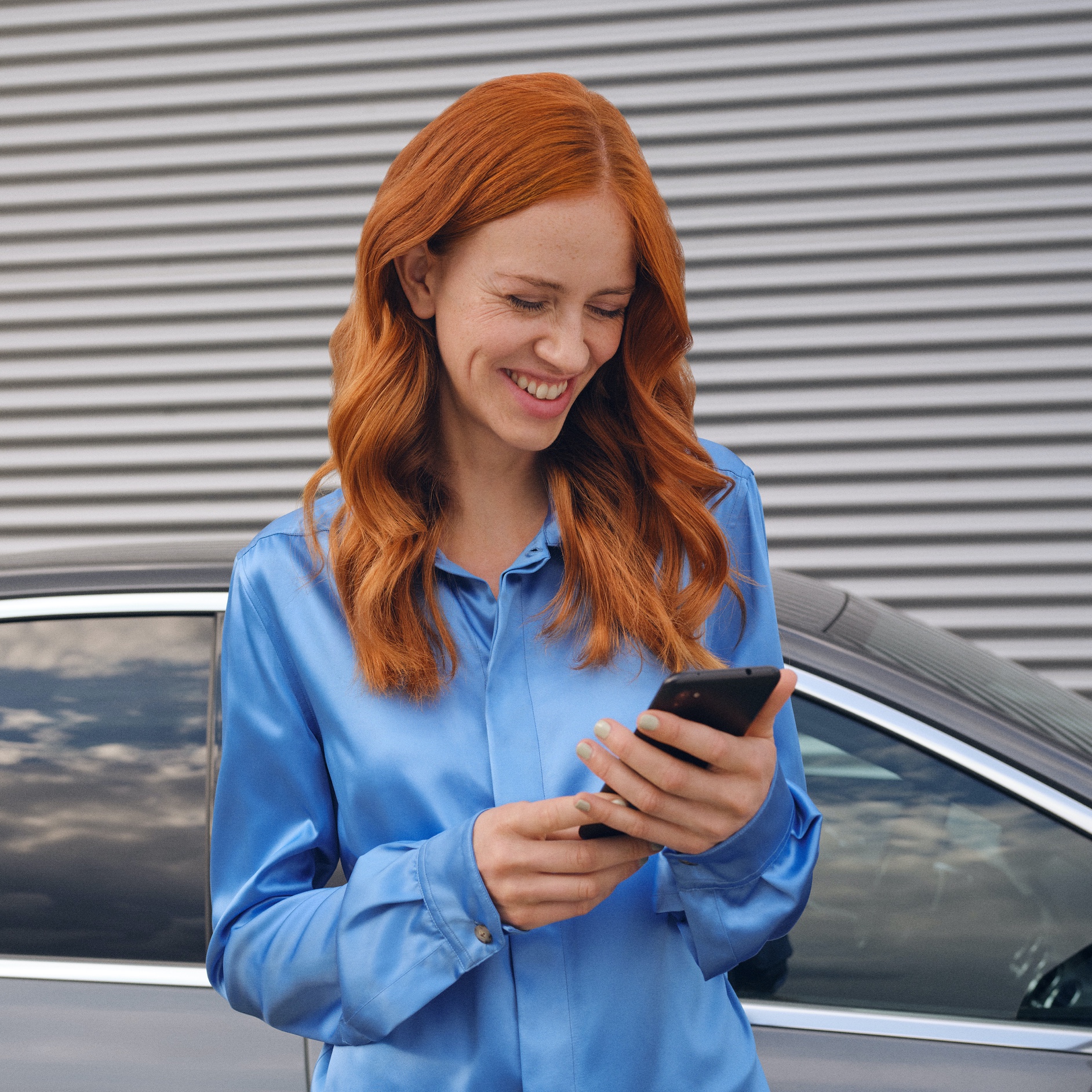;Resize=(600,450) "A woman connects to her Mercedes-Benz via the Mercedes-Benz App on her smartphone.")
FAQs
Do you still have questions about Mercedes-Benz?
Would you like to know more about Mercedes-Benz Digital Extras? Find the most important questions and answers about registration, payment and use here.
To use Mercedes-Benz Digital Extras, you first need a Mercedes me ID. To register for Mercedes-Benz Digital Extras, please follow these steps:
- Download the Mercedes-Benz App from the App Store or Google Play.
- Enter your telephone number or email address and tap "Next".
- Complete your personal information.
- Read the Terms of Use and tick the box to accept them.
- Tap on "Register".
- Enter the verification code sent to your smartphone or email address to complete the registration process.
You get some Standard Digital Extras with your vehicle that you don’t have to buy. However, to benefit from additional services, a purchase is necessary. Please note some Digital Extras will be complimentary for up to 36 months, and can be renewed via the Mercedes-Benz Store after expiry.
These are some of our most popular services:
- Remote Vehicle Status
- Vehicle Tracker
- Parked Vehicle Locator
- Remote Engine Start
- Live Traffic Information
- Send2Car
The following services are included free of charge:
- Maintenance Management
- Accident Recovery and Breakdown Management
- Telediagnostics
- Remote Vehicle Diagnostics
To purchase a Digital Extra, please follow these steps:
1. Download the Mercedes-Benz App.
2. Open the app on your smartphone.
3. Select a product from the list and tap "Add to basket".
4. Tap on "Go to basket" to proceed to checkout.
5. Tap on "To payment" and select a means of payment.
6. To complete your order, tap on "Order at cost now".
To discover and purchase all available services, please visit the Mercedes-Benz Store online or download the Mercedes-Benz Store app and log in with your Mercedes me ID.
There are two ways to renew services or purchase new services:
- You will receive a reminder by email 2 weeks before the end of the term. Simply follow the link in the email to renew your services.
- You can purchase new services and extend terms at any time in the Mercedes-Benz Store app. These are automatically appended to your current terms.
Please follow these steps to renew or purchase services that are ending:
1. Open the Mercedes-Benz Store.
2. Tap "Renew" in the menu.
3. Select your desired term.
4. Tap on "To payment".
5. Tap on "Order at cost now" to complete your order.
With the Mercedes-Benz App, you can set up your Mercedes-Benz before you set off. In the following, we explain how to set the desired state of charge, specify a departure time and initiate pre-entry climate control.
To set the maximum state of charge:
1. Open the Mercedes-Benz App.
2. Tap on "Charging options".
3. Tap on "Maximum state of charge", select "100%" and tap on "Apply". Your Mercedes is now configured for the highest possible state of charge.
To specify departure time:
1. Open the Mercedes-Benz App.
2. Tap on "Charging options" and then on "Departure time".
3. Select "One time" for a single trip or "Weekly profile" for a recurring trip.
4. Choose your departure time. If you have specified "Weekly profile", also select the desired days of the week.
5. Tap "Save" in the top right corner of the screen to save your new departure time.
To set up pre-entry climate control:
1. Open the Mercedes-Benz App.
2. Tap on "Charging options" and then on "Pre-entry climate control".
3. Select "Temperature"
4. Set a temperature for the driver's seat or the front passenger seat. Optionally, you can also select "Entire vehicle".
5. Tap "Save" to save your pre-entry climate control settings. You have thus set up pre-entry climate control for your vehicle.
To use MB.CHARGE public, you must first activate the service in the Mercedes-Benz App, agree to the MB.CHARGE public terms, and then conclude a MB.CHARGE public charging contract with a selected third party.
Activate MB.CHARGE public:
1. Open the Mercedes-Benz App.
2. Tap the three-bar menu icon in the upper left corner of the screen to expand the side menu.
3. Tap on your EV.
4. Select Manage services.
5. Tap on Charging.
6. Tap the button “MB.CHARGE public” to activate the service.
Register for a MB.CHARGE public charging contract:
1. Tap on "Register charging contract"
2. Tap on "Next" to be redirected to the page of the third-party provider
3. Login or Register your Mercedes me ID
4. Tap on "Create profile"
5. Complete your personal information
6. Add your payment method
7. Enter your MB.CHARGE public RFID Card details to activate the service. If you did not receive your MB.CHARGE public RFID card, you can order via the app.
Please follow these steps to lock and unlock the vehicle doors via the Mercedes-Benz App:
1. Open the Mercedes-Benz App.
2. Select "Lock status".
3. Check the lock status at the top of the screen to see if the doors are locked or open.
4. Tap the button to lock or unlock the doors.
5. Enter your four-digit PIN to confirm or use Face ID.
You can send an address direct to your vehicle via the Mercedes-Benz App. Once you have confirmed the destination, your navigation system will take you there.
Please follow these steps to send a destination to your vehicle:
1. Open the Mercedes-Benz App.
2. Tap on "Your location".
3. Select your destination by searching for a city or address.
4. Tap on "Route".
5. Tap on "Send address to vehicle".